

# WhatsApp Beta Catastrophe: Here’s How to Fix It | GadgetLad
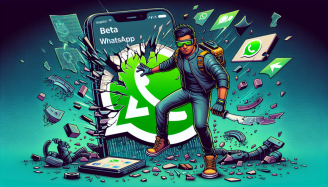
Well, well, well… Meta has done it again. The latest update for WhatsApp Beta, which was supposed to introduce “enhancements,” has turned into a complete fiasco. If you’ve upgraded to Beta version 2.25.5.8, you’re likely looking at a malfunctioning app, questioning what could have possibly gone wrong.
Users are reporting issues everywhere—images and videos failing to download, voice messages not playing, and in general, a total disaster. Meta hurried out a patch (version 2.25.5.16), which resolved a few problems but ended up causing even more. Classic move. Let’s dissect everything and see what you can do to clean up this chaos.

## The WhatsApp Beta Update That Spoiled Everything
On February 25, Meta released a new Beta version of WhatsApp (2.25.5.8), likely believing they had achieved something remarkable. However, users quickly noticed that the situation was collapsing faster than a flimsy market umbrella in severe weather.
### What’s Went Awry?
– Images and videos? Not downloading.
– Voice messages? Nope, not playing.
– General irritation levels? Sky-high.
Social media, including the reliable WABetaInfo X account, exploded with complaints from frustrated users. In an effort to rectify the situation, Meta released another update (2.25.5.16), which indeed fixed media downloads—but then proceeded to disrupt stickers, GIFs, and emojis. You can’t make this up.

## What Steps Should You Take If Your WhatsApp Beta Is Broken?
If you find yourself among the unfortunate users affected by this debacle, you have a few paths to consider.
### Option 1: Avoid the Update Like the Plague
If you haven’t yet updated—don’t. Stick with your current version and preserve your sanity.
### Option 2: Exit the WhatsApp Beta Programme
If you’ve already updated and are currently suffering, the best solution is to abandon the Beta programme entirely. Google offers a convenient guide on how to do this [right here](https://support.google.com/googleplay/answer/15654751?). After leaving the Beta version, download the regular live version of WhatsApp from the Play Store.
### Option 3: Revert to an Older, Functional Version
If you’re set on staying with the Beta for some reason (perhaps you enjoy the struggle), you can revert WhatsApp to an earlier, more stable version. Here’s how:
1. **Back up your chats**—unless you like losing all your messages.
2. **Uninstall WhatsApp** from your device.
3. **Download an older version** from a reputable site like [APK Mirror](https://www.apkmirror.com/apk/whatsapp-inc/whatsapp/).
4. **Reinstall and restore your backup**.
### Option 4: Just Wait and Hope for a Miracle
If you prefer not to deal with any of that, you could just remain patient and hope Meta gets their act together with another fix soon. At least the developers seem to be aware of the mess, so fingers crossed they will resolve it properly before long.
## Final Thoughts: Another Beta Disaster
Truthfully, this WhatsApp Beta situation is just another example of “Let’s ruin something that was previously functioning well.” While using Beta software comes with the expectation of some bumps, this is pushing it too far.
If you’re impacted, your best options are to roll back or exit the Beta altogether. Alternatively, if you’re up for the challenge of maintaining your sanity, wait for Meta to sort out their blunder.

## Summary: **Meta Strikes Again – Who’s Surprised?**
The latest WhatsApp Beta update is a complete disaster, breaking media downloads, voice messages, and even stickers and GIFs. If you’re trapped in this turmoil, your best choices include rolling back to an earlier version, leaving the Beta programme, or just enduring quiet frustration until Meta resolves the issue.
Honestly, you’d think they’d conduct proper testing before releasing this to the public, yet here we are. If you have any superior solutions, feel free to share—preferably through telepathy, since WhatsApp is clearly not functioning right now.
Want to get WhatsApp on your iPad? Here’s [how to do that](https://www.gadgetlad.co.uk/article/whatsapp-is-finally-coming-to-the-ipad-heres-how-it-works.html).
