
## Top STEM Gadgets to Ignite Your Youngsters’ Coding Skills in 2024
Looking for the best tools to inspire your little ones to code, delve into programming, and explore STEM (Science, Technology, Engineering, and Mathematics) without the dread of exams? Keep reading, because I’ve rounded up a selection of fantastic options to equip the kids with the essential skills they’ll need for future careers.
Before we dive in, let’s clarify—this isn’t about just plopping them in front of a screen, so take a deep breath. There are a host of impressive alternatives that encourage learning through play without creating the dreaded techno-zombies we all worry about.
These devices will aid them in grasping the fundamentals of coding via games, electronic kits, and even robotic companions. Whether they have the potential to be the next tech mogul or a creative soul who struggles to tell a logic gate from a gatepost, there’s something here for every aspiring geek.
### The Importance of Teaching Coding Today
You might have noticed that coding is no longer just for tech enthusiasts—it’s a core part of the national curriculum now due to the significant “skills gap” we’re facing. The demand for tech jobs far outstrips the supply of talent. In the past, IT classes were all about mastering word processors or printing slideshows—now, coding has taken center stage, with children as young as five learning its intricacies. If you’re one of those parents whose coding know-how feels stuck in the past, rest assured, you’re not in this alone.
### Understanding the Basics of Coding
Simply put, coding revolves around sequencing events. Get the sequence correct, and voilà, you’ve got an action. If not, well, not much occurs. I might be oversimplifying, but let’s move forward and see what options are available to kick off your child’s coding journey.
## Prepare for Learning Through Play
When a child views something as a toy, they’re more likely to engage with it and absorb knowledge without realizing it. It’s clever, but it works wonders. Let’s explore some fantastic choices that’ll enable them to learn while they play.
—
### **Osmo Coding – Learn Coding Using Physical Blocks with Your Tablet**

_One of the leading coding and STEM gadgets for kids aged 5-12_
**Pros**:
– Compatible with iPads or Fire tablets
– Extensive range of games
**Cons**:
– Requires a tablet/iPad, so you might need to part with yours
**Price When Reviewed**: $129.99
**Best Prices Today**:
– [$54.19 at Amazon](https://www.amazon.com/dp/B085NN5678?tag=i0914a-20&linkCode=ogi&th=1&psc=1)
**Ages**: 5-12
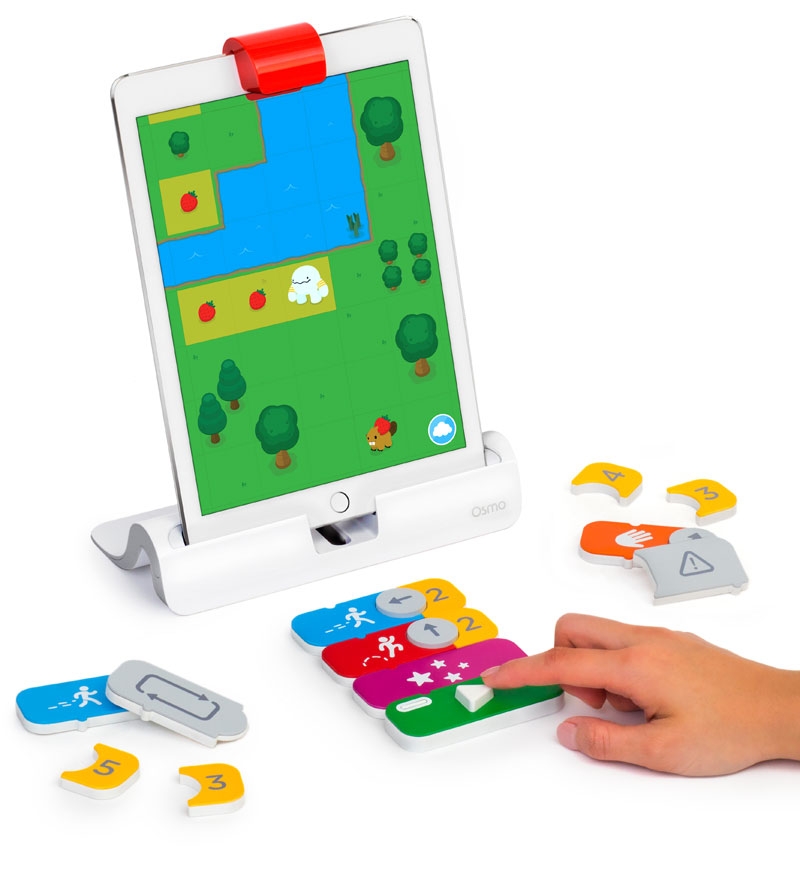
Osmo Coding is an inventive kit that tricks kids into learning by making it feel like playtime. Kids place a tablet into the Osmo Base, and a small mirror cap fits over the camera so the tablet can ‘see’ the actions on the table. Using various physical blocks, they will learn coding principles. Think of it as a blend between Scratch and Lego, brilliantly designed by former Google engineers. If you want them to dive into coding while having the time of their lives, this is a smart choice.
—
### **Sphero Bolt – A Programmable Robot Sphere**

_A fabulous STEM gadget for active kids_
**Pros**:
– Engaging and physically active learning
**Cons**:
– Not the cheapest option on the market
**Price When Reviewed**: $149.99
**Best Prices Today**:
– [$149.99 at Sphero](https://sphero.com/products/sphero-bolt)
– [$179 at Amazon](https://www.amazon.com/dp/B07DLM5DL7?tag=i0914a-20&linkCode=ogi&th=1&psc=1)
– [$252.43 at Walmart](https://www.walmart.com/ip/Sphero-BOLT/337589898)
**Ages**: 8+
The Sphero Bolt is a nifty, programmable sphere that can roll around on command. Equipped with sensors and a programmable LED matrix, you control it via an app, with coding environments ranging from beginner-friendly Scratch-like blocks to JavaScript. It’s a brilliant way to introduce coding while encouraging them to be on their feet instead of stuck indoors all day.
—
### **Coding Critters MagiCoders**
_The ideal STEM gadget for younger kids who adore animals_
**Pros**:
– Adorable and engaging
**Cons**:
– Watch out if unicorns are a soft spot!
**Price When Reviewed**: $54.99
**Best Prices Today**:
– [$27.24 at Walmart](https://www.walmart.com/ip/Learning-Resources-Coding-Critters-MagiCoders-Blazer-the-Dragon-STEM-Coding-Toy-22-Piece-Set-Ages-4/737289587)
– [$32.99 at Amazon](https://www.amazon.com/dp/B097F34KJ9?tag=i0914a-20&linkCode=ogi&th=1&psc=1)
– [$32.99 at Walmart Electronics](https://www.walmart.com/ip/Learning-Resources-Coding-Critters-MagiCoders-Blazer-the-Dragon-Set-Red-LER-3104-LER3104/737289587)
**Ages**: 4+
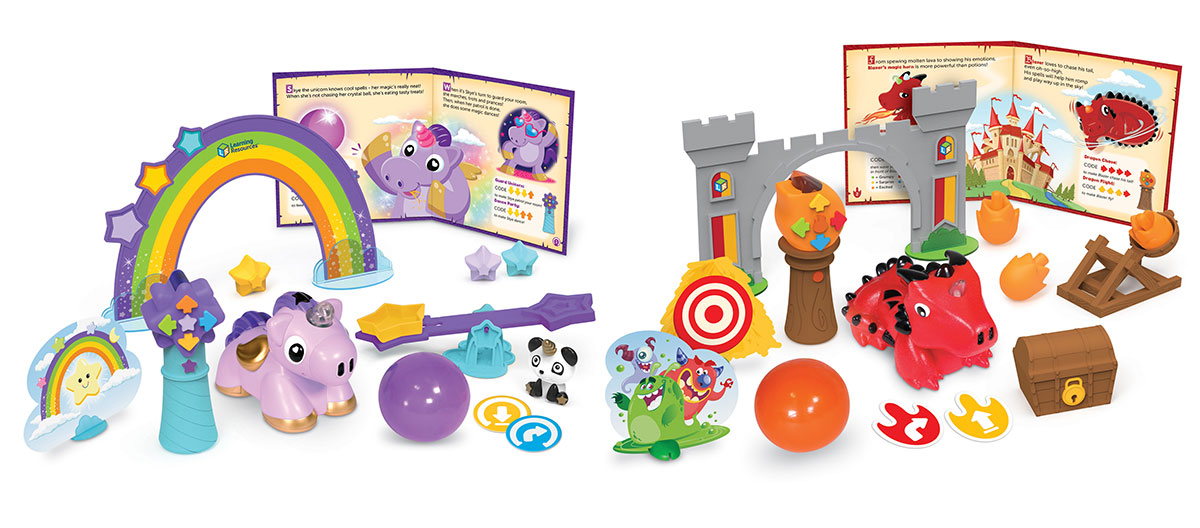
These coding animals utilize a storyteller and a collection of adorable characters to impart fundamental coding skills like sequential logic and spatial awareness. Blazer the Dragon and Skye the Unicorn steal the spotlight, and for those who prefer vehicles, there’s even a Switcheroo Coding Crew version. It’s a stellar way to introduce coding to little ones without overwhelming them.
—
### **PlayShifu Tacto Coding – Tablet-based Coding Adventures**

_A dependable option for 4-10 year-olds to dip their toes in coding_
**Pros**:
– Compatible with most tablets and iPads
**Cons**:
– Requires a tablet/iPad, so plan accordingly
**Price When Reviewed**: $49.99
**Best Prices Today**:
– [$44.99 at Amazon](https://www.amazon.com/dp/B08CS36F31?tag=i0914a-20&linkCode=ogi&th=1&psc=1)
– [$49.99 at PlayShifu](https://www.playshifu.com/tacto/coding)
**Ages**: 4-10
Tacto Coding is another engaging tablet game, this one fashioned by coder parents who focused on teaching inputs, outputs, loops, and branching concepts. Its versatile age range allows it to evolve alongside your child’s abilities. The accompanying figurines interact with the tablet for a hands-on challenge.
—
### **Let’s Start Coding Code Rocket**
_A robust introduction to text coding inspired by NASA_
**Pros**:
– Options for both block and text coding
**Cons**:
– No mobile support available
**Price When Reviewed**: $69
**Best Prices Today**:
– [$54.99 at Amazon](https://www.amazon.com/dp/B07XTNM31T?tag=i0914a-20&linkCode=ogi&th=1&psc=1)
– [$69 at Let’s Start Coding](https://www.letsstartcoding.com/rocket-product-detail#photos)
**Ages**: 6+
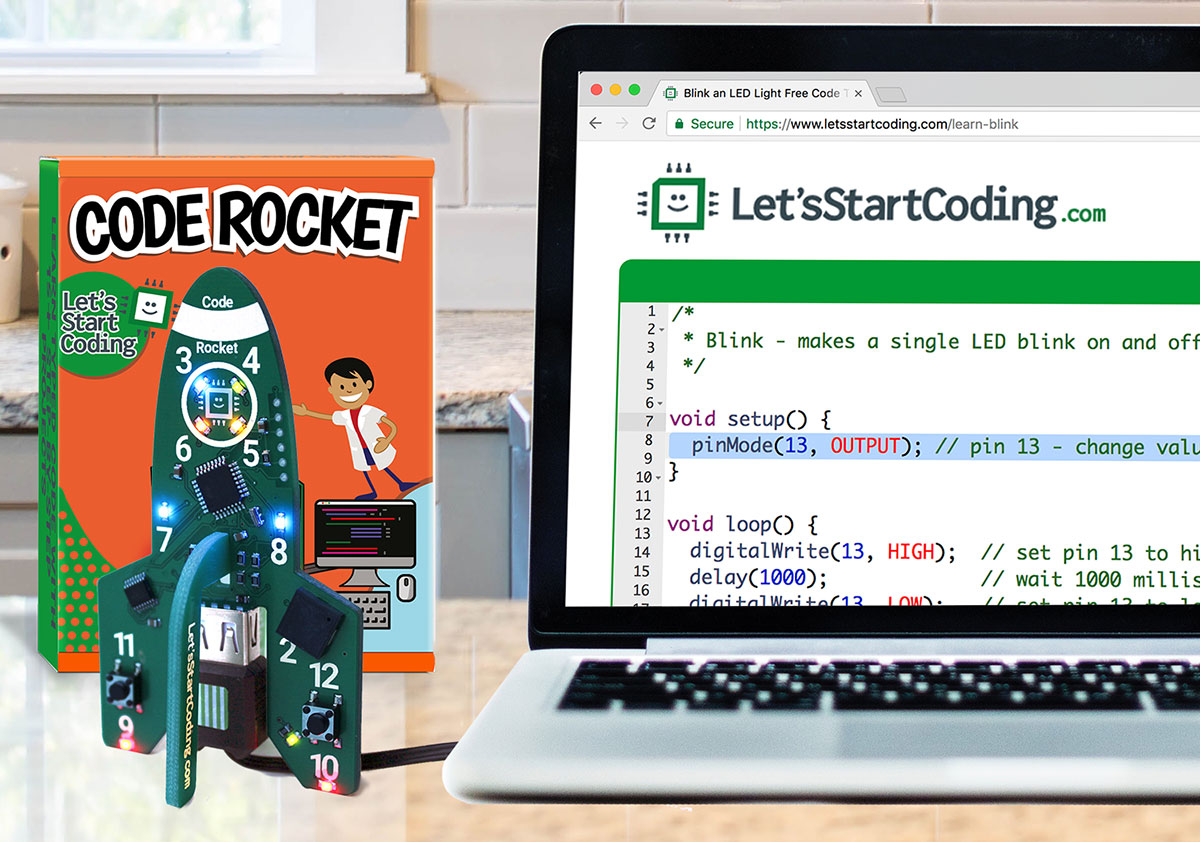
This coding rocket allows children to start with block coding like Scratch and advance to text-based programming such as C++. It’s as close to a NASA experience as a child’s toy can provide. No phone or tablet is necessary, making it more suitable for a dedicated computer session, but it offers an excellent introduction for ages six and up.
—
### **Botley The Coding Robot 2.0 – The Perfect First Coding Toy**

_A suitable STEM gadget for teaching coding to 5-9 year-olds_
**Pros**:
– Ideal for hands-on, screen-free learning
– Entertaining and full of character
**Cons**:
– Some believe it’s not intended for older kids
**Price When Reviewed**: $64.99
**Best Prices Today**:
– [$63.44 at Amazon](https://www.amazon.com/dp/B083T5G5ZK?tag=i0914a-20&linkCode=ogi&th=1&psc=1)
**Ages**: 5-9
This award-winning robot is designed for kids who love to get involved. They’ll learn coding by programming Botley physically to execute tasks, move objects, and follow lines. The best aspect? It does not require a screen, ensuring they engage in that hands-on, traditional learning approach.
—
### **Makeblock mBot Neo Robot Kit – A Broad Range of Codable Robots**
_A top choice for aspiring engineers aged 8+_
**Pros**:
– Teaches basic to advanced coding
– Excellent for developing robot-building skills
**Cons**:
– On the pricey side but valuable for serious learners
**Price When Reviewed**: $149.99
**Best Prices Today**:
– [$127.49 at Amazon](https://www.amazon.com/dp/B0919F9CKS?tag=i0914a-20&linkCode=ogi&th=1&psc=1)
– [$149.99 at Makeblock](https://www.makeblock.com/products/buy-mbot-neo)
**Ages**: 8+
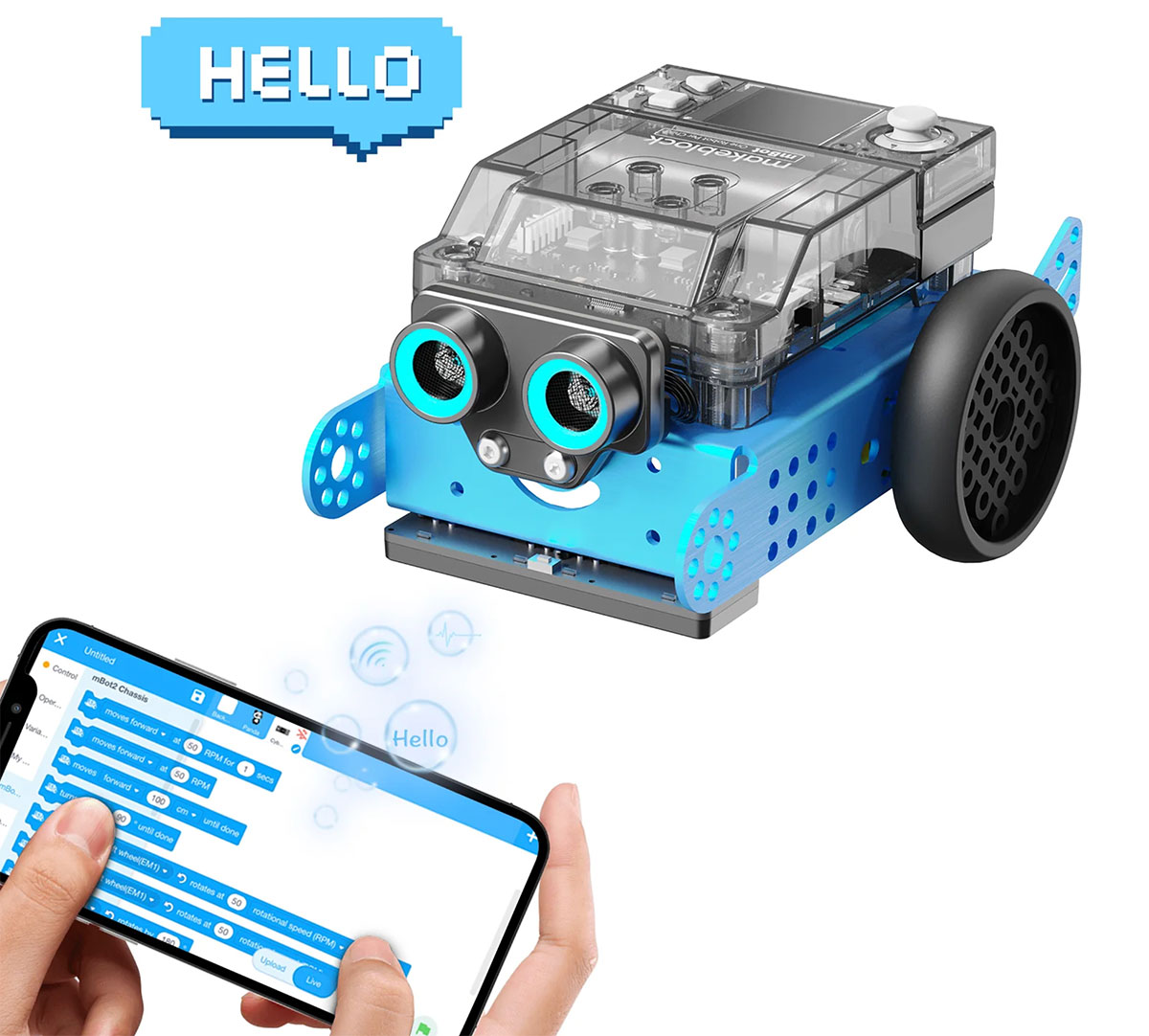
This advanced coding robot from Makeblock means business. Designed to grow with your child, the mBot Neo teaches everything from block-based coding to Python programming. The kit also includes a smart camera and obstacle sensors, offering a comprehensive learning experience that goes beyond just steering a robot.
—
### **Petoi Bittle Robotic Dog – An Advanced Quadruped Robot**
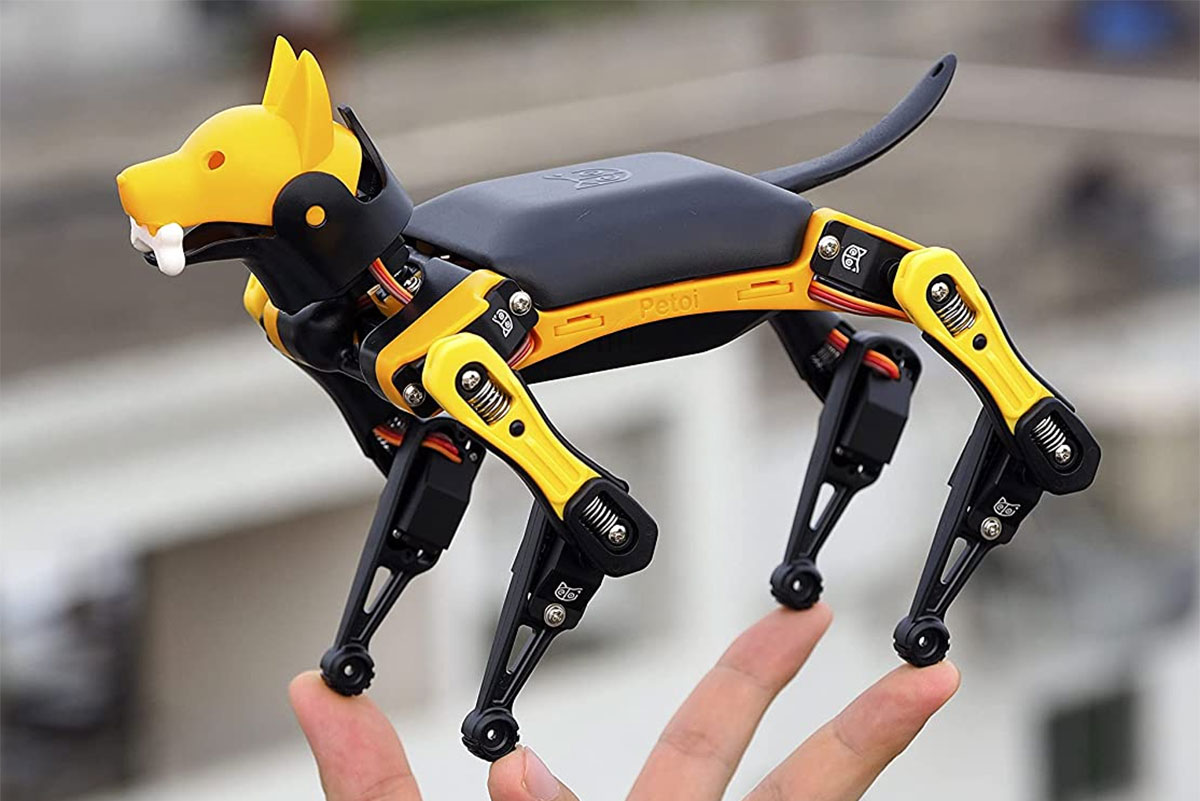
_The premium choice for a 10+ coding enthusiast_
**Pros**:
– Advanced robot for complex learning
– Supports multiple programming languages
**Cons**:
– Some may find it overly complex
**Price When Reviewed**: $269
**Best Prices Today**:
– [$269 at Petoi](https://www.petoi.com/products/petoi-bittle-robot-dog)
– [$329 at Amazon](https://www.amazon.com/dp/B09BBJJ88F?tag=i0914a-20&linkCode=ogi&th=1&psc=1)
**Ages**: 10+
More than just a toy dog, this robot walks, trots, and even has quite the classy touch! Bittle is programmable using a variety of coding languages, including Python and C++. On top of that, it can even be controlled with voice commands. It’s a step up from typical robotic toys, making it an excellent investment for any child serious about coding.
—
### **PYXEL A Coder’s Best Friend – A Robotic Dog that Teaches Coding**
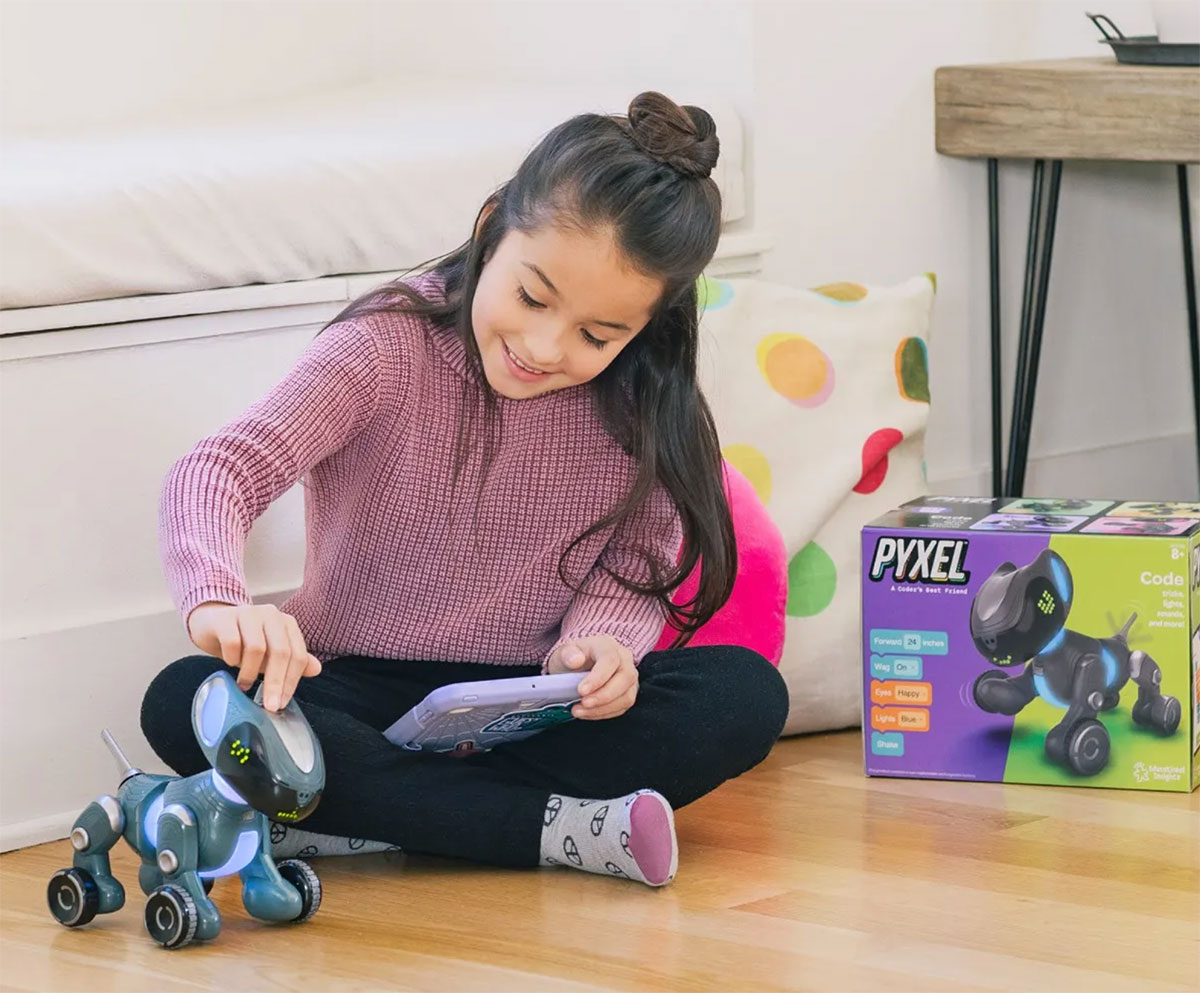
_An ideal coding companion for dog lovers aged 8+_
**Pros**:
– Adorably designed
– Covers fundamentals to advanced coding
**Cons**:
– Lacks some of the advanced features of other robots
**Price When Reviewed**: $150
**Best Prices Today**:
– [$90.99 at Amazon](https://www.amazon.com/dp/B0BQ8LJBR6?tag=i0914a-20&linkCode=ogi&th=1&psc=1)
**Ages**: 8+
PYXEL is a clever little robot dog aimed at teaching coding through Blockly (akin to Scratch) and advanced Python. Fitted with sensors and LEDs, it even has a wagging tail! Plus, it features its own password-protected Wi-Fi, so internet connection issues are a thing of the past. This delightful coding companion is designed to educate your child from beginner to advanced levels through app and tablet-based interaction.
—
### **Learning Resources Space Rover Deluxe Coding Activity Set**
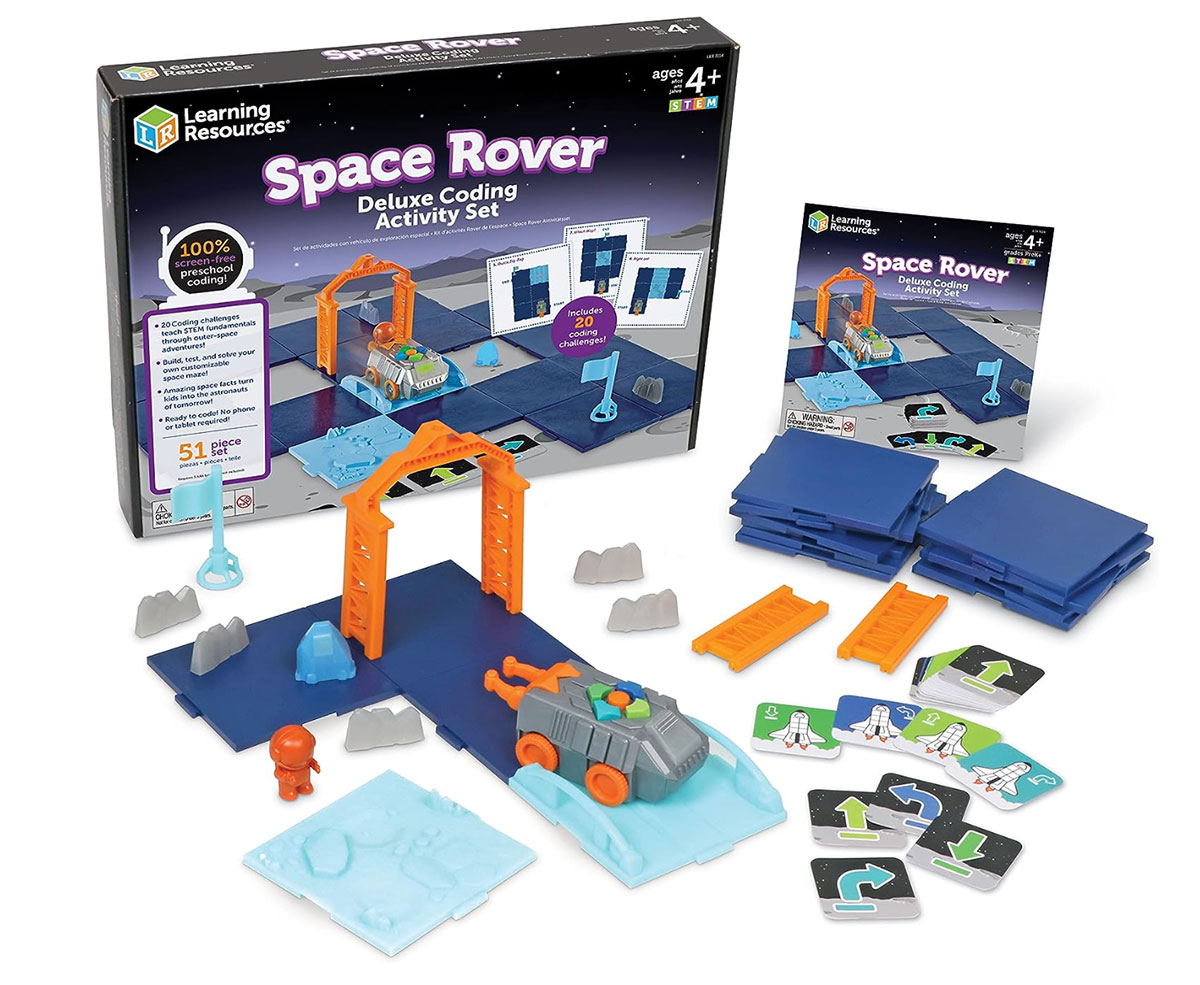
_A fantastic choice for space-enthusiast kids aged 4+_
**Pros**:
– Learning without digital devices
– Perfect for collaborative learning
**Cons**:
– Some children might prefer a tablet-based experience
**Price When Reviewed**: $69.99
**Best Prices Today**:
– [$41.58 at Amazon](https://www.amazon.com/dp/B0C1TLPVLR?tag=i0914a-20&linkCode=ogi&th=1&psc=1)
– [$69.99 at Learning Resources](https://www.learningresources.com/item-space-rover-deluxe-coding-activity-set)
**Ages**: 4+
For kids who are fascinated by the cosmos, this screen-free coding activity set enables them to construct, test, and solve their own space mazes. Designed for small groups, it’s perfect for classrooms or coding clubs—and could even make for a fun birthday celebration. Through play, they’ll grasp the basics of coding while exploring the final frontier.
—
### **Agent Asha Gift Pack – Screenless Coding Adventure**

_A top-notch pick for introducing children aged 7-11 to coding and spycraft_
**Pros**:
– Learning through storytelling
– No screens necessary
**Cons**:
– Requires some reading, which may not appeal to all
**Price When Reviewed**: $41.99 (shipping included)
**Best Prices Today**:
– [$41.99 at Bright Little Labs](https://www.agentasha.com/)
**Ages**: 7-11
For aspiring spies, the Agent Asha Gift Pack is designed to pique kids’ interest in coding and computer science in a subtle way. Filled with spy-themed challenges that fit perfectly within the KS1 and KS2 curriculum, this kit, along with the book “Agent Asha: Mission Shark Bytes,” provides a delightful entry point into the world of espionage and coding.
—
### **DJI RoboMaster S1 – A High-Tech Coding Toy from a Renowned Drone Brand**

_Ideal for older kids eager to dive deeper into coding_
**Pros**:
– A professional-grade coding toy
– Loaded with features
**Cons**:
– Quite pricey—prepare your budget!
**Price When Reviewed**: $499
**Best Prices Today**:
– [$499 at DJI](https://store.dji.com/product/robomaster-s1)
– [$549.99 at Amazon](https://www.amazon.com/dp/B07SZT99BL?tag=i0914a-20&linkCode=ogi&th=1&psc=1)
**Ages**: 14+
For serious young coders, the DJI RoboMaster S1 is an engineering marvel. Comprising 107 buildable parts and equipped with 31 sensors and a 1080p camera, it can be programmed via Python or Scratch and even utilized as an RC car when the friends come over. It’s on the higher end of the price scale, but if you’re seeking something that combines education with enjoyment, this is a prime candidate.
—
### **Artie 3000 and Artie Max – Merging Art with Coding**

_A creative choice for children interested in coding and art_
**Pros**:
– Encourages creativity through coding
– Supports a range of coding languages
**Cons**:
– Needs an additional device as it has no built-in screen
**Price When Reviewed**: $69.99
**Best Prices Today**:
– [$51.07 at Amazon](https://www.amazon.com/dp/B07MG8GBCX?tag=i0914a-20&linkCode=ogi&th=1&psc=1)
– [$51.99 at Target](https://www.target.com/p/educational-insights-artie-3000-the-coding-robot/-/A-79224693)
**Ages**: 7+
Artie 3000 is a fantastic coding robot allowing children to create images through coding commands. It seamlessly integrates art with STEM learning, making it the perfect companion for kids seeking to learn coding while tapping into their artistic side. Artie Max enhances this experience with three interchangeable markers and support for C++, adapting as your child’s coding journey progresses.
—
### **Code Lab – Hands-On Electronics and Coding**

_A brilliant kit for kids aged 8+ eager for a deep dive into electronics and coding_
**Pros**:
– Authentic hands-on experience with coding and electronics
– Teaches real C++ programming
**Cons**:
– Requires a computer, so no mobile use here
**Price When Reviewed**: $165
**Best Prices Today**:
– [$164.99 at Amazon](https://www.amazon.com/dp/B0949P8FRH?tag=i0914a-20&linkCode=ogi&th=1&psc=1)
– [$165 at Let’s Start Coding](https://www.letsstartcoding.com/code-lab-product-detail)
**Ages**: 8+
Code Lab is perfect for kids ready to delve into coding and electronics. It focuses on real C++ programming on a circuit board alongside 50 mini-LED pixels, sensors, and arcade buttons. It offers essential training in coding, giving insights into how technology actually functions. An excellent match for kids seeking hands-on projects!
—
### **Discovering STEM Newton’s Laws**
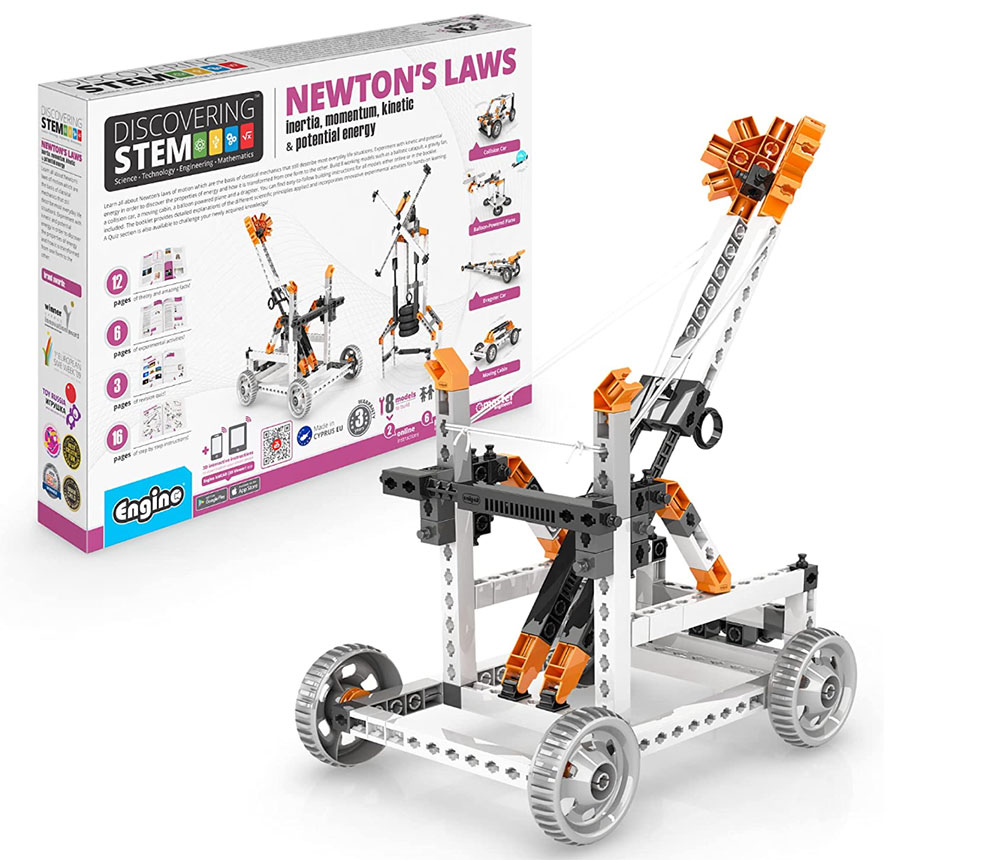
_A fantastic choice for budding engineers_
**Pros**:
– Hands-on construction illustrating physics concepts
– Offers genuine education on Newton’s Laws
**Cons**:
– Parents not into science may find the instructions a bit tricky
**Price When Reviewed**: $34.99
**Best Prices Today**:
– [$32.99 at Amazon](https://www.amazon.com/dp/B01D37OYQW?tag=i0914a-20&linkCode=ogi&th=1&psc=1)
**Ages**: 9+
For young engineers, this engaging STEM kit teaches the principles of Newton’s Laws, such as inertia, momentum, kinetic energy, and potential energy. It’s a comprehensive science lesson packed in a box, complete with eight models, including a catapult and a drag racer. Perfect for hands-on explorers!
—
### **POWERUP 4.0 RC Paper Plane**
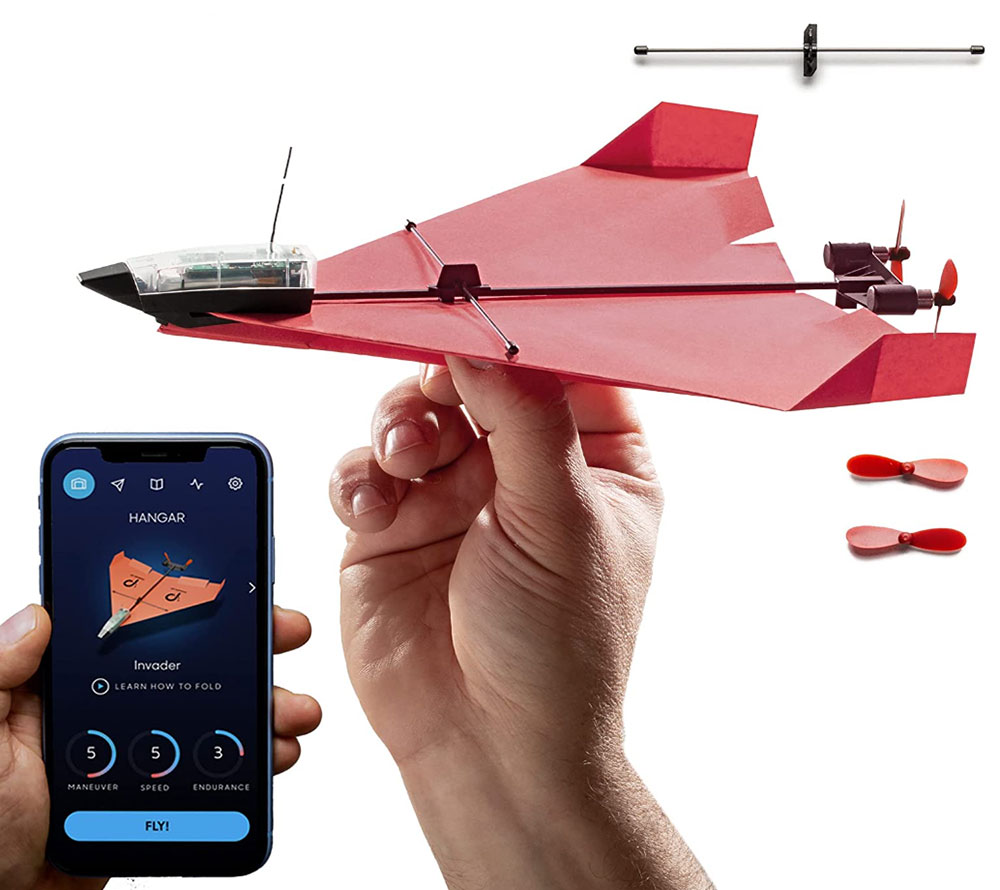
_An exciting flying experience for ages 6+ who enjoy gadgets_
**Pros**:
– Thrilling flying fun
– Introduces basic aerospace principles
**Cons**:
– Flight duration is somewhat limited
**Price When Reviewed**: $89.99
**Best Prices Today**:
– [$59.99 at Amazon](https://www.amazon.com/dp/B08JLZVB3Z?tag=i0914a-20&linkCode=ogi&th=1&psc=1)
– [$79.99 at Walmart](https://www.walmart.com/ip/POWERUP-4-0-Smartphone-Controlled-Paper-Airplane-Kit-RC-Controlled-Easy-to-Fly-with-Autopilot-Gyro-Stabilizer-For-Kids-and-Adults-DIY-STEM-Tool/804110463)
– [$89.99 at PowerUp](https://www.poweruptoys.com/products/powerup-4-0)
**Ages**: 6+
This unique offering is a paper airplane you can control with your smartphone. It’s a fun way to teach fundamental aerodynamics as kids can design their own planes and attach a lightweight motor for various tricks. The STEM angle lies in experimenting with different wing shapes. They claim it’s nearly indestructible—a huge bonus for a flying object!
—
### **Mochi – Ideal for 3-6-Year-Olds**

_A top-notch screen-free option for the little ones_
**Pros**:
– Encourages screen-free coding for preschoolers
– Works with Lego for extra playtime fun
**Cons**:
– A bit on the pricier side, but worth it
**Price When Reviewed**: $149
**Best Prices Today**:
– [$149 at Mochi](https://robotics.learnwithmochi.com/collections)
– [$189 at Amazon](https://www.amazon.com/dp/B07XKMBSR7?tag=i0914a-20&linkCode=ogi&th=1&psc=1)
**Ages**: 3-6
Mochi targets the earliest coders, focusing on screen-free interactive learning. By building Mochi’s adventure using LEGO-compatible parts and coding blocks, kids direct Mochi’s movements. The little guy responds with songs, sounds, and dance when they code correctly.
—
### **Botzees – A Kit With Augmented Reality Puzzles**

_A brilliant mix of building, coding, and augmented reality for ages 4-9_
**Pros**:
– Augmented Reality adds an engaging element
– Teaches coding fundamentals
**Cons**:
– Some may prefer straightforward, non-tech options
**Price When Reviewed**: $99.00
**Best Prices Today**:
– [$99.99 at Botzees](https://botzeestoys.com/)
**Ages**: 4-9
Botzees merges building, coding, and augmented reality into a singular toy experience. With over 130 pieces, children can construct robots and program them with an app. It’s loaded with puzzles and engaging challenges that make learning coding as much fun as it is educational. Ideal for kids eager to fuse creativity with technology.
—
### **Elegoo Smart Robot Car Kit – Best for Ages 13+**

_A challenging kit for the tech-savvy teen coder_
**Pros**:
– Fantastic hands-on experience with electronics and robotics
– Leverages the open-source Arduino platform
**Cons**:
– May be too complex for beginners
**Price When Reviewed**: $84.99
**Best Prices Today**:
– [$79.99 at Amazon](https://www.amazon.com/dp/B07KPZ8RSZ?tag=i0914a-20&linkCode=ogi&th=1&psc=1)
**Ages**: 13+
The Elegoo Smart Robot Car Kit is more than just a toy; it’s effectively a mini robotics course. Using an Arduino board, sensors, and motors, teens can build a functional robot car. This hands-on experience teaches programming, electronics, and troubleshooting—definitely not for the weak-hearted, but rewarding for those up for a challenge.
—
### **Lego Boost Creative Toolbox Robotics Kit**

_A premium Lego kit infused with coding magic for ages 7-12_
**Pros**:
– It’s Lego, enough said!
– Packed with enjoyable, physical builds and coding
**Cons**:
– Expensive and requires a tablet for coding
**Price When Reviewed**: $189.99
**Best Prices Today**:
– [$299.95 at Walmart](https://www.walmart.com/ip/LEGO-Boost-Creative-Toolbox-17101-Building-and-Coding-Kit-847-Pieces/937496464)
– [$330 at Amazon](https://www.amazon.com/dp/B072MK1PDV?tag=i0914a-20&linkCode=ogi&th=1&psc=1)
– [$399.88 at Walmart Electronics](https://www.walmart.com/ip/LEGO-BOOST-Creative-Toolbox-17101-Coding-STEM-Set/570171817)
**Ages**: 7-12
Lego’s Boost Creative Toolbox marries building with coding. Children use traditional Lego blocks to construct robots and models, then program them via a tablet for various tasks. It’s a thrilling way to spark interest in coding while keeping them connected to a brand they already adore.
—
### **imagiCharm – Perfect for Teen Girls (And Boys Too)**

_A unique gadget designed to make coding appealing for all teenagers_
**Pros**:
– Fun and creative coding experience
– Supports Python, a widely-used programming language
**Cons**:
– The Android app isn’t as user-friendly as its iOS counterpart
**Price When Reviewed**: $99
**Best Prices Today**:
– [$99 at Imagilabs](https://imagilabs.com/products/imagicharm-1)
**Ages**: 8-13
imagiCharm combines fashion with coding, allowing users to create custom designs on a small, wearable 8×8 LED matrix programmed via Python through a mobile app. This neat tool introduces coding while encouraging creativity and individuality, making it perfect for tech-savvy teens looking to stand out.
—
### **Anki Cozmo**
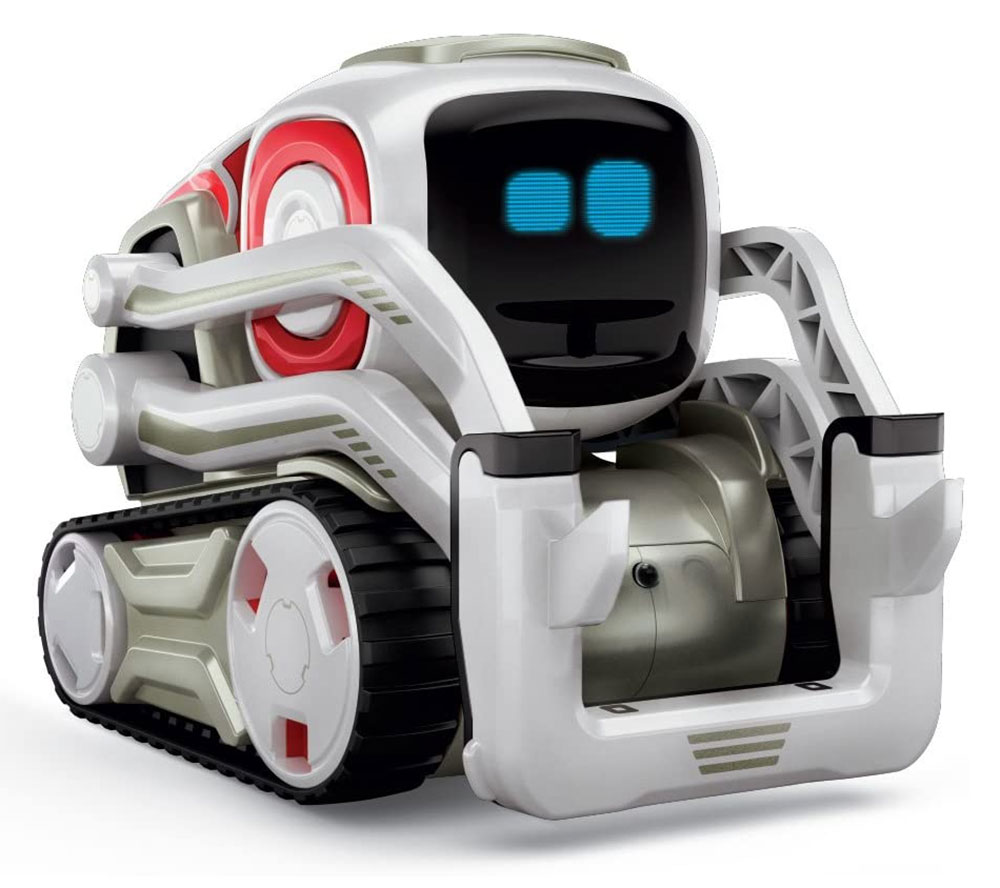
_A delightful, character-rich robot for tech-savvy kids_
**Pros**:
– Full of personality
– Simple, colorful block coding interface
**Cons**:
– It represents a sizable investment
**Price When Reviewed**: $299.99
**Best Prices Today**:
– [$299.99 at Digital Dream Labs](https://www.digitaldreamlabs.com/products/cozmo-robot)
**Ages**: 8+
Cozmo is far more than an average coding toy; it’s practically a friend. With an abundance of personality, this charming robot interacts with its environment. Kids can utilize Cozmo’s Code Lab to develop custom actions and responses via block coding, making it an engaging tool for learning. This little companion can recognize faces, stack blocks, and even join in games—helping kids seamlessly engage with coding.
—
### **Dash – The Adorable Coding Companion**

_A delightful way to learn coding packed with fun for ages 6-11_
**Pros**:
– An endearing robot that makes coding fun
– Teaches coding concepts subtly
**Cons**:
– Some may tire of its simplicity over time
**Price When Reviewed**: $149.99
**Best Prices Today**:
– [€259.99 at Wonder Workshop](https://makewonder.de/collections/cleverbots-accessories/products/dash?variant=8458533470265)
**Ages**: 6-11
Dash is an award-winning robot that makes learning coding engaging for young kids. Through a variety of apps, children can control Dash, making it perform entertaining tricks like dancing and singing. It’s an ideal starting point for kids just venturing into coding who wish to have a friendly, approachable guide by their side.
—
### **Bitsbox – A Subscription Box for Coding**
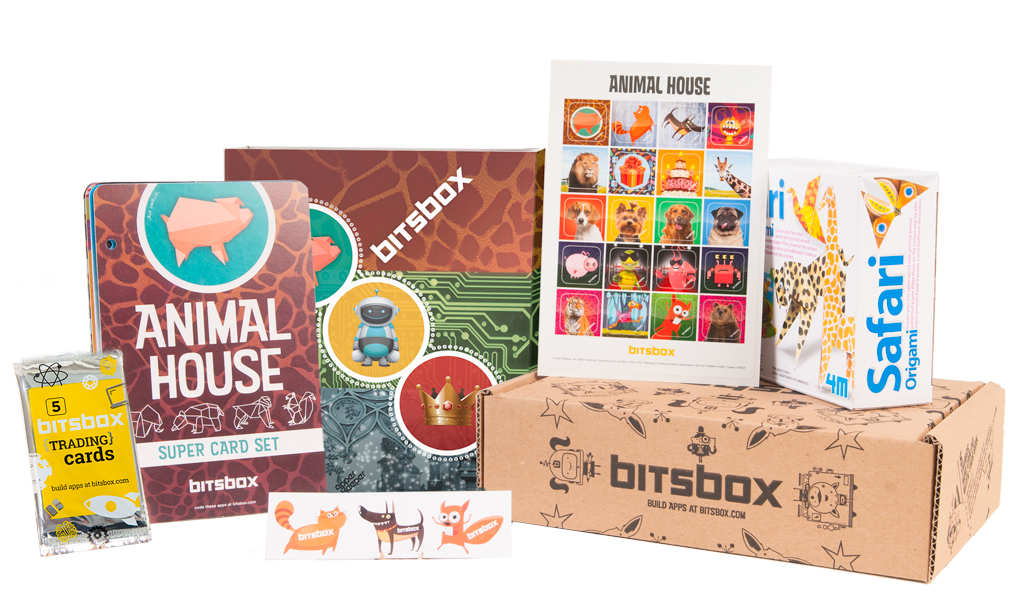
_A fun and ongoing coding experience that evolves every month for kids aged 6-12_
**Pros**:
– A constantly changing subscription-based service
– Suitable for learning authentic coding languages (JavaScript/HTML5)
**Cons**:
– A subscription might not suit families just trying it out
**Price When Reviewed**: $30
**Best Prices Today**:
– [$30 at Bitsbox](https://bitsbox.com)
**Ages**: 6-12
Bitsbox is for those who appreciate variety. This monthly subscription box teaches coding through engaging projects and activities. It introduces kids to real JavaScript/HTML5 coding in a fun, interactive manner that keeps them excited for the mail each month. With each new box, they’ll continue expanding their coding knowledge while having a blast.
—
### **Robot Mouse Activity Set – A Simple Coding Introduction**

_A fun coding introduction for the youngest tech-savvy kids_
**Pros**:
– An enjoyable, tactile learning experience
– Ideal for group play
**Cons**:
– May not hold the interest of older kids for long
**Price When Reviewed**: $59.99
**Best Prices Today**:
– [$46.93 at Amazon](https://www.amazon.com/dp/B01A5YMCH4?tag=i0914a-20&linkCode=ogi&th=1&psc=1)
– [$59.99 at Walmart](https://www.walmart.com/ip/Learning-Resources-Robot-Mouse-STEM-Activity-Set-Engineering-Toys-Ages-4/49606265)
– [$64.99 at JCPenney Affiliate](https://www.jcpenney.com/p/learning-resources-code-n-go-robot-mouse-activity-set-discovery-toy/ppr5008308449?pTmplType=regular)
**Ages**: 4-10
Perfect for tiny tech enthusiasts just getting started in coding, the Robot Mouse Activity Set teaches children to help a little battery-powered mouse locate its cheese. By using coding cards, kids can create simple logical sequences to direct the mouse through a maze. It’s an excellent introduction to coding concepts without relying on screens.
—
### **Code & Go Mouse Mania Board Game**
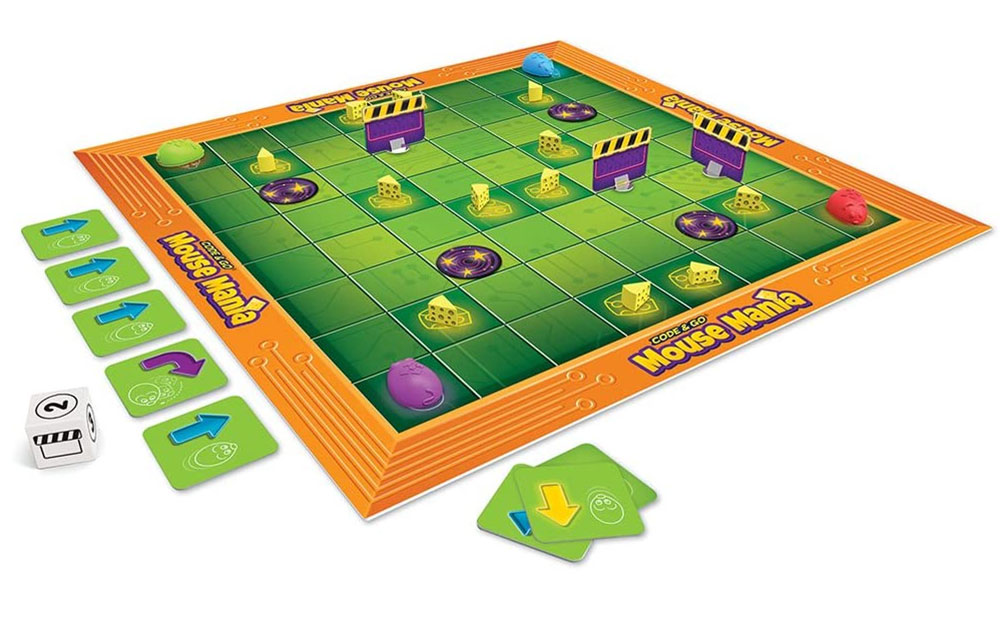
_A fun, screen-free game for teaching basic coding concepts to younger kids_
**Pros**:
– Engaging fun that teaches fundamental coding skills
– Suited for small groups
**Cons**:
– May not have staying power for older or more experienced kids
**Price When Reviewed**: $21.99
**Best Prices Today**:
– [$21.99 at Learning Resources](https://www.learningresources.com/item-code-gor-mouse-mania-board-game)
**Ages**: 5+
Inspired by Learning Resources’ Code & Go Mouse, this board game teaches kids essential coding skills without screens. They’ll draw cards to direct their mouse pieces toward the cheese, navigating obstacles along the way. It’s a delightful way to introduce coding concepts for younger children.
—
### **ThinkFun Robot Turtles – A Coding Board Game**

_An excellent screen-free coding option for children aged 4+_
**Pros**:
– Fun, screen-free learning that teaches the fundamentals of programming
– Suitable for both individual and group play
**Cons**:
– May be somewhat simplistic for advanced learners
**Price When Reviewed**: $24.99
**Best Prices Today**:
– [$49.99 at Amazon](https://www.amazon.com/dp/B00HN2BXUY?tag=i0914a-20&linkCode=ogi&th=1&psc=1)
**Ages**: 4+
Another standout in the screen-free coding game category, ThinkFun’s Robot Turtles offers a playful approach to learning programming fundamentals. Modeled after the Logo programming language, kids “write code” using playing cards, navigating their turtles to gather jewels while facing increasingly complex challenges. An excellent choice for younger kids just starting their coding adventure.
—
## Conclusion: Future Nerds Unite!
If you’ve made it through this extensive guide, you’re now armed with knowledge to select the ultimate coding and STEM gadgets for your children. Whether they are starting fresh or ready to tackle more advanced programming, there’s something here to fit every budget and interest level. Remember, the learning journey should be enjoyable—get them coding, and who knows? They could be the next technological whiz!
—