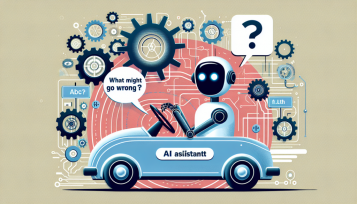

Copilot Aims to Take the Wheel – Not Merely Sat Nav, Mate
Alright, hold on tight. Microsoft’s been up to its clever tricks again – or maybe it’s just a bit daft, depending on your perspective. They’re now working on what they call Copilot agents. In simple terms, it’s AI that can manage your computer’s interface, as if it has its own pair of busy human hands. Pressing buttons, completing forms, navigating menus – the entire package.
Sounds great? Or like the opening scene of a tech horror story? A mix of both, if you ask me, but let’s explore further.
Click, Click – the Machines Are Picking It Up
Copilot Steps Up to UI Driver Role
So yes, Microsoft’s chattering on about how these little Copilot agents will soon be capable of interacting with actual applications through the proper graphical interface. Not APIs, but buttons. As in, it’s not chatting with the app behind the scenes – it’s casually waltzing in through the front door and using the mouse like Grandma accessing her Hotmail.
Picture this: you’ve got a small robot that’s binge-watched countless YouTube videos on opening Excel, hitting “File”, scrolling to “Options”, and checking a box. Now it’s primed to do it itself. Creepy? Possibly. Useful? Perhaps.
Redmond Calls It a Preview – Aye, Alright Then
Microsoft’s labeling this entire endeavor “a preview”, which in their terminology translates to “half-cooked and prone to blow up.” But they’re fully embracing it. They believe these agents could be deployed for a variety of tasks – simplifying business operations, tackling mundane admin tasks, or managing outdated apps crafted by some bloke in the 90s who’s now off raising alpacas in Cumbria.
However, let’s clarify – you won’t be letting Copilot handle your tax return right away. It’ll require some tutoring. You need to demonstrate how to perform a task once, then it picks it up. Like training a Jack Russell to fetch the TV remote – annoying, but amusing when it finally clicks.
Trusting the AI with the Controls – What Could Go Wrong?
Forget APIs, Let the Bot Glide Over Menus
The nerve of them, eh? While the rest are occupied crafting solid APIs and integrations so your applications can communicate like respectful adults, Microsoft’s basically suggesting, “Nah, let’s just have the bot master the mouse like Kevin from accounting.”
But here’s the snag – what happens if the UI changes? What if a button shifts by a few pixels or someone renames a tab? Ever attempted to use a remote desktop connection where the screen’s a bit out of sync? Imagine that, but automated, and now it’s clicked “Uninstall” instead of “Update”. Oops-a-daisy.
Security and Trust? Best of Luck with That
You know what’s on the horizon, don’t you? The same issue we frequently face: trust.
They’re discussing sandboxing this agent business (thank goodness), but let’s not kid ourselves that this won’t be misused within moments of launch. You grant it permissions – one erroneous click or a rogue agent and suddenly someone’s AI is purchasing £500 worth of printer ink from Amazon.
Visualize giving a 12-year-old the keys to a Ferrari with the assurance, “Don’t fret, it has driver-assist.” That’s exactly where we’re at.
The Windows Copilot Runtime – Background Intruder
What’s That Buzzing Sound? Oh, Just More AI Operating in Windows
So, there’s now a feature called the Windows Copilot Runtime, which is just a posh way of saying, “we’ve crammed a bunch of AI into Windows, and you likely didn’t even notice.” Sound familiar? Of course. It’s the typical Microsoft game: reveal it after the update’s already installed.
This runtime includes elements like the “semantic index”, integration of AI skills, and something they call “natural language languages.” I’m clueless about the latter too, but it sounds like a GCSE English lesson taught by ChatGPT.
Fair play though – it’s all part of the effort to transform Windows into a kind of AI servant that’s helpful, intrusive, and mildly unnerving all at the same time.
Enterprise Adoption – Don’t Hold Your Breath
Large Companies Will Wait Until It’s Mundane
Let’s be realistic – most IT departments are more cautious than a Gran crossing the street in a downpour. You think they’re going to let experimental AI navigate payroll software unattended? Ha! They’ve just begun to trust Office 365.
By the time most enterprises embrace this GUI-driving bot technology, we’ll probably all be donning headsets that project Excel directly into our minds. Until then, anticipate a lot of testing, grumbling, and chaps saying, “I just don’t trust it, mate.”
Conclusion – Here Come the Clickbots
Strange Future Ahead, Isn’t It?
I must say – Microsoft’s shift is bold, bizarre, and strangely impressive. But also a bit frightening. Teaching robots to operate computers like humans? It’s either a breakthrough for productivity… or a quick route to Skynet knowing how to use Outlook.
Don’t misunderstand me – if it works, it’ll be fantastic. No more sifting through menus, endless clicking, or grappling with outdated software that hasn’t been updated since 2003. But if it goes south, it’ll be like giving your dog the wheel of the Metro.
Stay vigilant. Stay inquisitive. And maybe keep the Task Manager at the ready.
Summary
“Click This, You Daft Bot: Microsoft’s Copilot Is Learning to Use a Mouse”
Microsoft’s latest Copilot agents aim to automate tedious GUI tasks by mimicking human interactions – clicking, typing, and navigating applications like a digital office assistant. It’s clever, it’s risky, and it seems like the dawn of either an incredible productivity surge or an IT catastrophe. Regardless, the bots are set to invade your controls – so it’s best to get accustomed to it.
For more unfiltered rants and sharp-witted tech insights, keep an eye on gadgetlad.co.uk – or don’t, but you’ll be missing out, mate.