
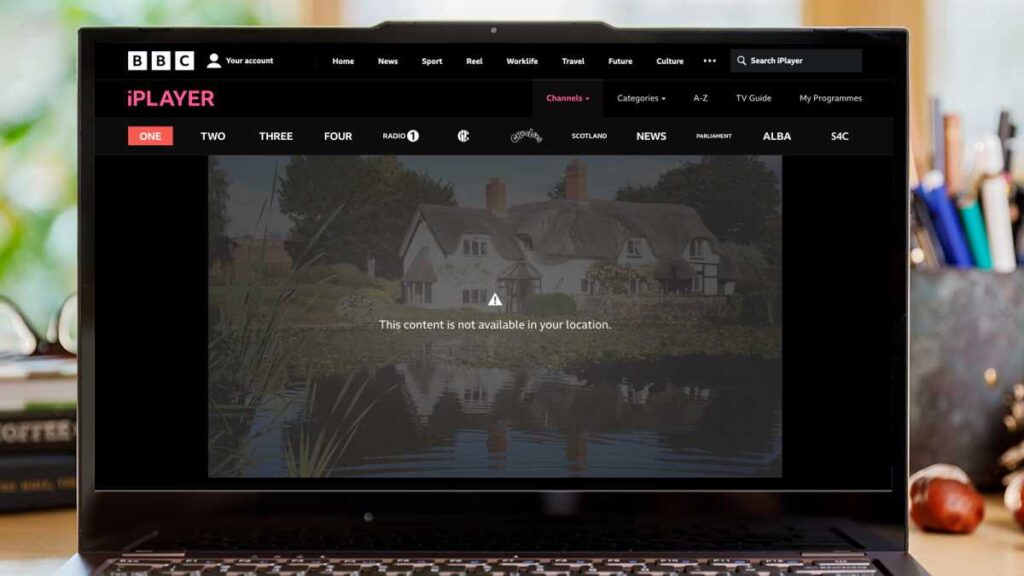

How to Access BBC iPlayer Outside the UK Without Going Crazy
Ah, BBC iPlayer. The haven for the finest shows from the Beeb, ranging from riveting dramas to those utterly ridiculous reality series we all enjoy in secret. The best part? It’s free… sort of. A UK TV licence is required, but oddly enough, they don’t verify if you possess one during the sign-up process. Classic British red tape.
The Dilemma of Streaming iPlayer from Abroad
If you’re in the UK, it’s all smooth sailing. Watching iPlayer is super easy. You can even save shows for offline viewing whenever you like. But what happens if you’re basking in the sun in Spain and crave a dose of EastEnders? Tough luck! You’ll face that maddening notification informing you that it’s unavailable in your location. The fix? A VPN, mate.
What’s a VPN & Why Should You Use One?
If you’re not already aware, a VPN (Virtual Private Network) is essentially an application that conceals your location. It channels your internet connection through a server in a different country—so from the BBC’s viewpoint, you’re still in the UK, even if you’re enjoying cocktails in Thailand.
The BBC vs VPNs: The Ongoing Struggle
The brainiacs at the Beeb are keen on preventing you from outsmarting them, so they actively work to block VPNs. That’s why you can’t simply use any random VPN and think it will function—some of them are about as effective as a chocolate teapot.
Which VPNs Truly Unblock iPlayer?
If you don’t want to squander your time on a VPN that gets shut down in a matter of minutes, you’ll need to choose one with a reliable history. NordVPN is among the top choices for this, and it supports Windows, macOS, iPhone, Android, Firestick—you name it.
Steps to Use a VPN for Watching iPlayer
- Sign up for a VPN. Subscribe to NordVPN or another trusted service. Longer-term plans offer better value.
- Install the application. Download and install the VPN application on your device.
- Connect to a UK server. Select a UK server—some VPNs even provide options specifically for iPlayer.
- Launch BBC iPlayer. Once connected, open the iPlayer application or navigate to the website.
- Log in & enjoy! Sign in with your BBC account and relish your shows as if you never left the UK.
How to Access iPlayer Abroad on Consoles & Apple TV
VPN applications can’t be used directly on an Xbox or PlayStation, but you can still make iPlayer functional by adjusting your DNS settings. Some VPN services provide SmartDNS, which is essentially a shortcut for accessing streaming services on devices that don’t support VPN applications.
Alternatively, if you’re feeling adventurous, you can configure a VPN on your router so every device connected to your Wi-Fi can benefit from it. This approach isn’t the simplest, but it does get the job done.
Do You Really Need a UK TV Licence for iPlayer?
Technically, yes. The BBC requests you to affirm that you own one when you log in, but they don’t validate it. However, if you’re a UK resident with a legitimate licence, using a VPN from abroad to access iPlayer is still against their terms, even if you’re fulfilling your obligations. It’s somewhat ambiguous, but I’m not the TV Licence enforcer, so it’s up to you.
Related Guides
Conclusion: Outsmarting the BBC at Their Game
Look, I’m not suggesting that breaking the Beeb’s regulations is something you should pursue… but let’s face it; if they made it simpler to legally watch iPlayer abroad for those who truly pay for a TV licence, we wouldn’t need to navigate all these obstacles. Until then, VPNs are your best companion.
