

# The Top USB-C Hubs & Adapters 2025 – Organize Your Laptop Ports
Attention, everyone. Today’s laptops are becoming slimmer than my tolerance on a Monday morning, which is fantastic for your back but complete nonsense for ports. If your sleek new MacBook or Dell XPS has eliminated everything except a USB-C slot, you’ll need a reliable USB-C hub or adapter. Fortunately, I’ve tested a ton of them and selected the finest.
—
## USB-C Hubs & Adapters: What’s Going On?
Once, laptops offered an abundance of ports—USB-A, HDMI, Ethernet, and even a CD drive if you think back far enough. But now? Manufacturers have concluded that all we require is a solitary USB-C port, and we can sort out the rest ourselves. Thanks for that.
USB-C is indeed a robust connection—reversible, speedy, and flexible. However, with just one port, the contemporary laptop experience feels like “choose your own hassle.” That’s where hubs and adapters swoop in to rescue the situation.
—
## Why Grab a USB-C Hub or Adapter?
If you possess any non-USB-C devices—external hard drives, memory sticks, external displays, wired internet, or if you merely want extra USB ports beyond what your laptop reluctantly provides—you require a hub or adapter.
– **Adapters** will change one port into another, such as USB-C to HDMI or USB-C to USB-A.
– **Hubs** supply you with several ports, which is genuinely beneficial.
If you seek a complete desktop setup with power delivery and multiple displays, you might even consider a **USB-C docking station.** But for most users on the go, a hub will suffice.
—
## What’s The Top USB-C Hub?
After testing numerous models, here are my top recommendations:
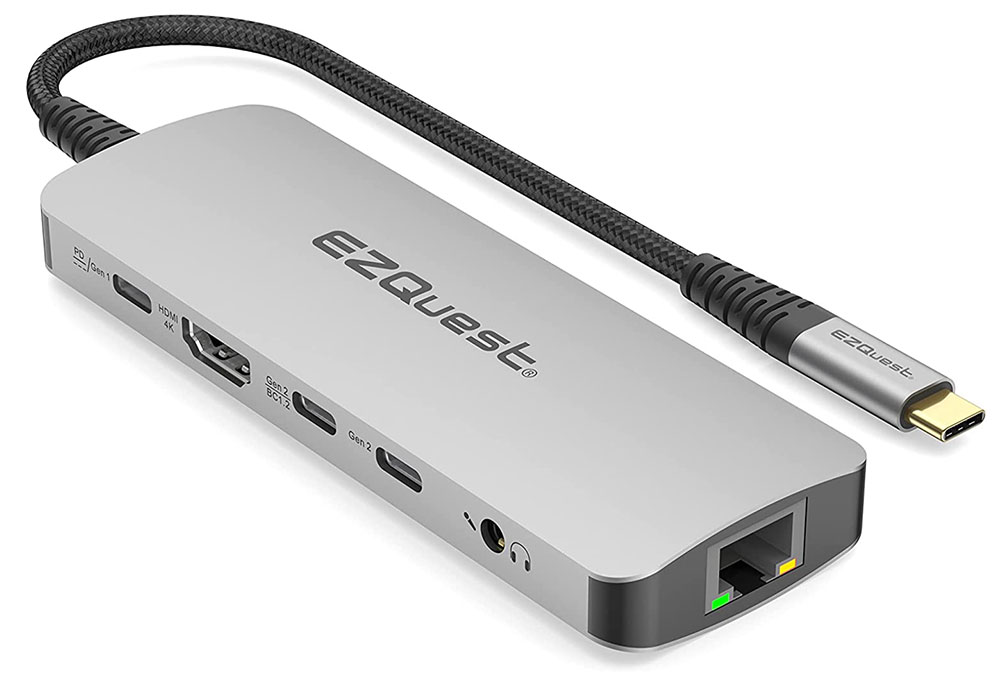
– **Best all-rounder:** [**EZQuest USB-C Multimedia 10-in-1 Gen 2 Hub**](#ezquest-usb-c-multimedia-10-in-1-gen-2-hub-best-overall-usb-c-hub-for-fast-ports) – Plenty of ports including Ethernet and 4K HDMI at 60Hz. Charges your laptop at 100W. A solid choice.
– **Best value selection:** [**Baseus 6-in-1 USB-C Hub**](#baseus-usb-c-hubs-best-value-usb-c-hub-range) – Affordable yet delivers the essentials like HDMI, Ethernet, and USB-A ports.
– **Best high-performance option:** [**Satechi USB4 Multiport Adapter w/2.5G Ethernet**](#satechi-usb4-multiport-adapter-w-2-5g-ethernet-best-usb4-hub-for-speed) – 40Gbps USB4 speeds, 2.5G Ethernet, and 10Gbps USB ports. Incredibly fast.
– **Best for serious multi-monitor users:** [**Ugreen Revodok Pro 13-in-1 Docking Station**](#ugreen-revodok-pro-13-in-1-triple-display-docking-station-best-usb-c-hub-for-three-displays-windows) – Supports three external displays simultaneously. Perfect for Windows enthusiasts.
—
## What To Consider When Selecting A USB-C Hub
Before making a purchase, contemplate what you truly need:
– **USB Ports (USB-A, USB-C, Thunderbolt, USB4)** – Need to connect older USB devices? Ensure your hub has sufficient USB-A ports.
– **Video Ports (HDMI, DisplayPort, VGA)** – Looking to connect monitors? Verify the refresh rates (4K at 30Hz vs. 60Hz makes a significant difference).
– **Power Delivery** – Some hubs charge your laptop while in operation. If you only have one USB-C port, opt for one with passthrough charging.
– **Ethernet** – Wi-Fi is great, until it isn’t. Wired internet is consistently more dependable.
– **Memory Card Slots** – If you’re passionate about photography, SD or microSD slots could be invaluable.
—
## The Best USB-C Hubs & Adapters for 2025
### EZQuest USB-C Multimedia 10-in-1 Gen 2 Hub – Best Overall USB-C Hub for Fast Ports

– **Pros:** 10 ports including Ethernet, 4K@60Hz HDMI, and 100W passthrough charging.
– **Price:** $79.99 (or look for deals around $59.99).
– **Verdict:** Excellent all-around option with everything you need at great speeds.
### Baseus USB-C Hubs – Best Value USB-C Hub Range
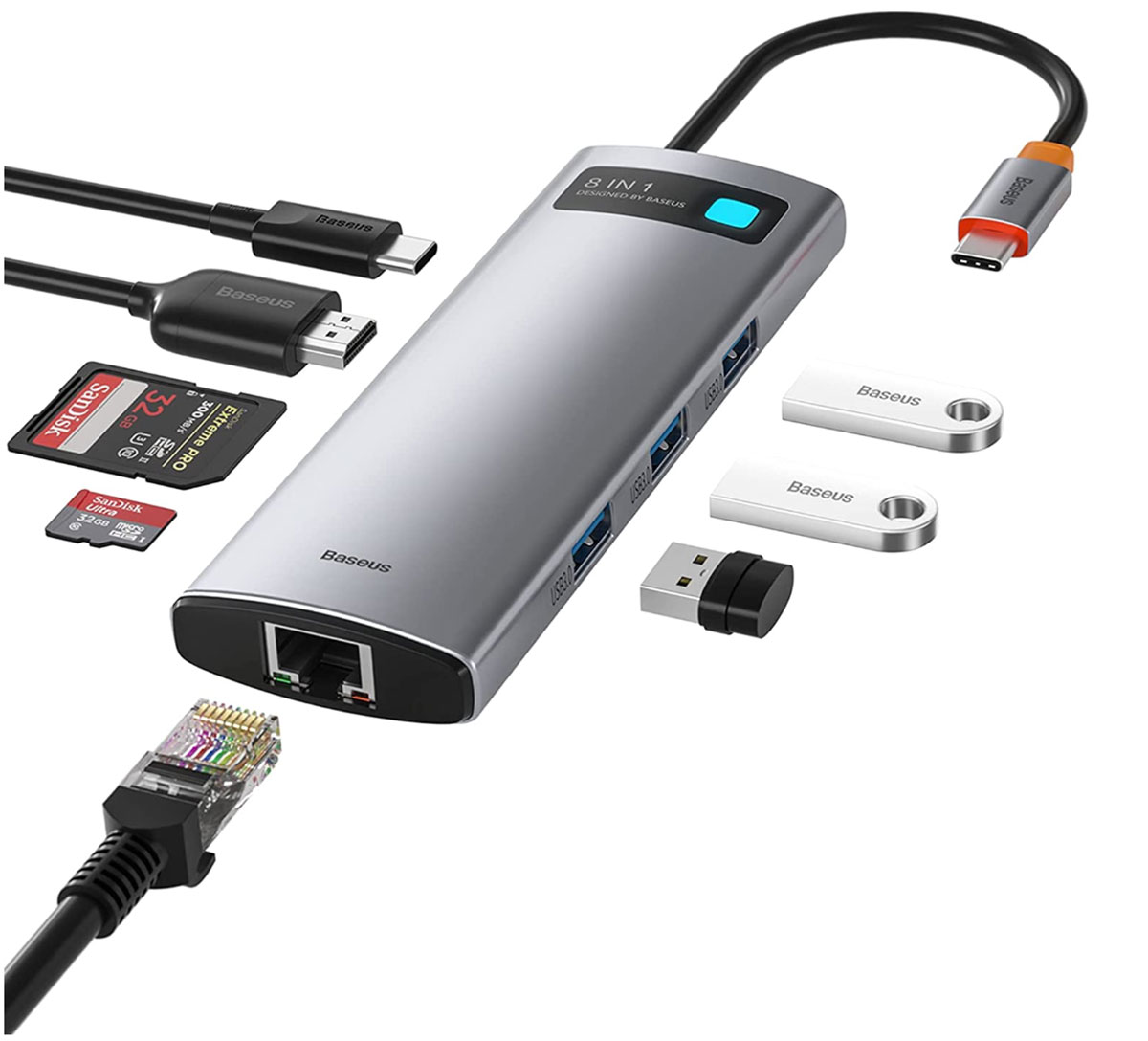
– **Pros:** Budget-friendly, 7-10 ports based on the model, Gigabit Ethernet.
– **Cons:** Some models aren’t widely available.
– **Price:** $39.99 (deals for $35.99).
– **Verdict:** Ideal if you only need the essentials without spending a small fortune.
### Satechi USB4 Multiport Adapter w/2.5G Ethernet – Best USB4 Hub for Speed

– **Pros:** USB4 (40Gbps), 4K HDMI, speedy USB ports, and 2.5G Ethernet.
– **Cons:** Pricier, no SD card slot available.
– **Price:** $149.99.
– **Verdict:** Incredibly fast. If you’re willing to pay for performance, this is your hub.
### Ugreen Revodok Pro 13-in-1 Triple Display Docking Station – Best for Multi-Monitor Setups

– **Pros:** 13 ports, triple 4K display support for Windows users.
– **Cons:** Macs are limited to mirrored displays.
– **Price:** $129.99 (deals can be found around $89.99).
– **Verdict:** Fantastic if you need three individual monitors working simultaneously.
—
## The Stark Reality About Inexpensive USB-C Hubs
Sure, you can discover USB-C hubs for £15-20, but herein lies the issue: **cheap electronics are a risk.** You don’t want a poorly made hub damaging your costly laptop, overheating, or slowing down your data speeds. Stick to brands that rigorously test their products—Baseus, Ugreen, Satechi, CalDigit, Plugable, EZQuest.
—
## Final Thoughts: GadgetLad’s Straightforward Verdict
If you’ve read this far, congratulations—you’re serious about your ports. If you merely want **an excellent USB-C hub**, snag the **EZQuest 10-in-1** or **Baseus 6-in-1** and be done with it. Power users who demand **speed** should opt for the **Satechi USB4**, and if you’re managing a **multi-monitor powerhouse**, the **Ugreen Revodok 13-in-1** is the one for you.
Now, stop dilly-dallying and purchase a hub before you misplace your last USB-C dongle and find yourself frantically searching “fastest way to transfer files without ports.” You’ve been warned.
—
For the complete list of reviews and latest deals, visit **[GadgetLad.co.uk](https://gadgetlad.co.uk)** 🏴☠️
